Colorize Old Military Photos with AI
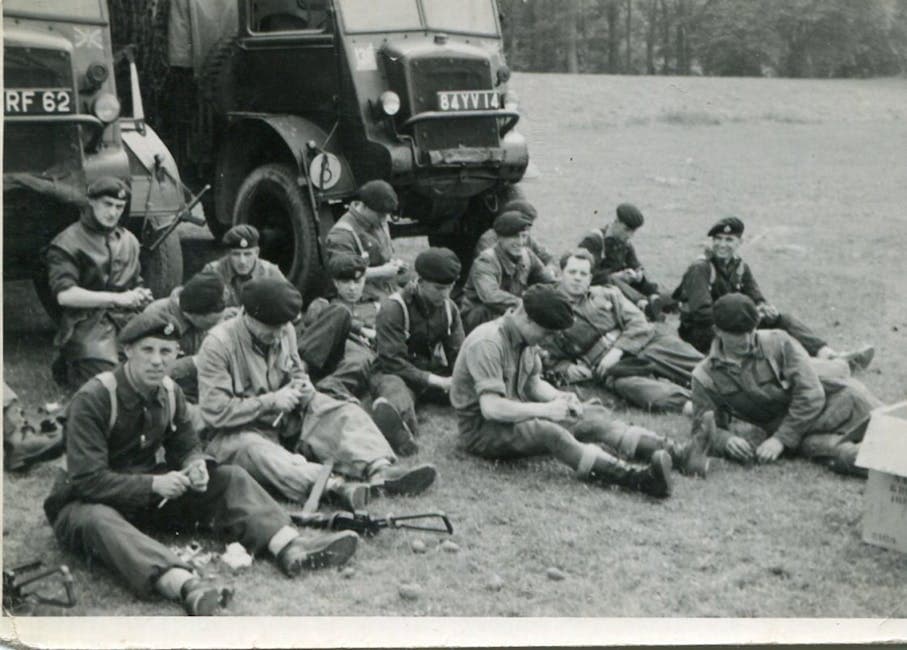
Why Colorize Military Photos?
A black and white photo from WWII shows soldiers standing in a field. It's historical, respectful, even beautiful in its own way. But add color — the olive drab of their uniforms, the blue sky behind them, the red-brown mud on their boots — and suddenly those soldiers become real people. Color closes the emotional distance between "history" and "my grandfather."
Colorization doesn't replace the original. It creates a new version that helps modern viewers connect with the people in the photograph on a visceral, human level. For families of veterans, that connection can be profoundly meaningful.
How AI Colorization Handles Military Photos
AI colorization models have been trained on millions of photographs, including extensive military collections from archives, museums, and historical societies. This means the AI has learned era-specific details that matter for accuracy:
- Uniform colors by branch and era — US Army olive drab vs. Navy blues vs. Marine forest green
- Rank insignia and medal ribbons — though small, these often colorize with reasonable accuracy
- Vehicle and equipment colors — military vehicles had specific paint schemes (OD green for WWII jeeps, woodland camo for later eras)
- Environmental context — European hedgerows, Pacific island sand, Korean hillsides, and Vietnamese jungle all carry distinct color palettes
The AI doesn't just guess randomly. It reads contextual clues — uniform cut, equipment style, landscape, and photo quality — to make historically informed color choices.
Tips for Different Military Eras
World War I (1914-1918)
WWI photos are often faded and low-contrast. The AI handles them well but may need a restoration pass first to clean up damage and improve contrast before colorizing. Uniform colors are typically khaki, field grey, or horizon blue depending on the nation.
World War II (1939-1945)
The sweet spot for AI colorization. Massive training datasets exist from this era, and the AI is highly accurate on WWII uniforms, equipment, and settings. American olive drab, British khaki, German field grey, and Soviet khaki-brown are all well-represented in the model's training data.
Korean War (1950-1953)
Korean War photos bridge the gap between WWII-era equipment and early Cold War gear. Uniform colors shifted slightly from WWII but remain in the olive and khaki family. The AI handles these well, especially outdoor combat and camp scenes.
Vietnam War (1955-1975)
Vietnam-era photos are often higher quality originals, which helps the AI produce detailed colorization. Jungle green fatigues, red laterite soil, and tropical vegetation all colorize with strong accuracy. Many Vietnam photos were shot in color originally, giving the AI extensive reference data.
Modern Conflicts
Photos from Desert Storm onward were predominantly shot in color, so colorization is rarely needed. However, the AI can restore faded or damaged color photos from these eras effectively using the restore tool.
Handling Group Photos and Portraits
Military photos frequently feature groups of people — unit photos, formation shots, and informal group portraits. Here's how to get the best results:
Large Group Photos
Group shots with dozens of soldiers are the most challenging because individual faces are small. The colorization AI focuses on uniform blocks and environmental color, which it handles well. For better facial detail, upscale the image after colorization so individual faces are larger and clearer.
Individual Portraits
Studio portraits and ID photos colorize beautifully. The AI can clearly identify uniform details, skin tones, and background elements. These are the best candidates for framing and gifting to family members.
Informal Shots
Candid photos of soldiers relaxing, eating, or socializing often carry the most emotional weight. These colorize well because they typically include a variety of elements — skin tones, clothing, food, vegetation, buildings — that give the AI plenty of context to work with.
The Recommended Workflow for Military Photos
Military photos are often old, damaged, and small. For the best results, follow this order:
Step 1: Restore Damage First
Upload your photo to the restore tool. Fix scratches, stains, tears, and fading before colorizing. The colorization AI performs significantly better on a clean, high-contrast image than on a damaged one. Stains in particular can confuse the color model if they're not removed first.
Step 2: Colorize the Restored Image
Take the restored result and upload it to the colorize tool. The AI will add color based on all the contextual clues in the cleaned-up image. Review the result carefully — uniforms, skin tones, and environmental colors should look historically plausible.
Step 3: Face Restore if Needed
If the photo has small or blurry faces — common in group shots — run the colorized result through the face restore tool. This step sharpens facial features and adds natural skin tone detail.
Step 4: Upscale for Printing
Old military photos were often small — 3x5 prints or smaller. If you plan to frame the result or print it larger, upscale it as the final step. The AI increases resolution up to 4x while preserving the colorized detail.
Sharing with Family and Veterans Groups
Colorized military photos make powerful gifts and conversation starters:
- Frame and gift to veterans or their families — a colorized version of a service photo is deeply personal
- Share in veterans' groups — Facebook groups, VFW halls, and reunion associations appreciate colorized photos of their era
- Include in family history projects — genealogy books and family websites benefit enormously from colorized photos
- Donate to historical archives — local museums and historical societies often welcome colorized versions alongside originals
- Create side-by-side prints — the before/after comparison tells its own story and makes a compelling display
A Note on Historical Accuracy
AI colorization makes educated guesses. While it's remarkably accurate for well-known uniform types and common settings, it may occasionally assign incorrect colors to obscure insignia, foreign uniforms, or unusual equipment. If historical precision matters — for a museum exhibit or published work — verify specific uniform and equipment colors against reference materials.
For personal and family use, the AI's accuracy is more than sufficient to bring these photos to life in a way that honors the people in them.
Start Colorizing Now
Upload your military photo to the colorize tool and see the transformation in seconds. For damaged originals, start with the restore tool first. No signup required, and your photos are processed privately.