How to Restore Your Parents' Wedding Photos
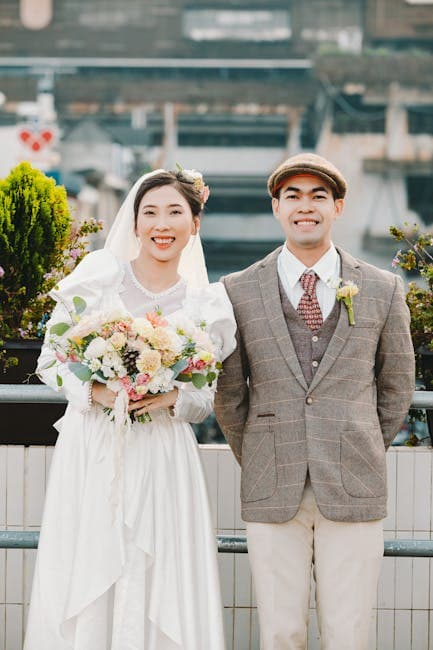
Wedding Photos Are Irreplaceable
Of all the family photos worth restoring, wedding photos sit at the top. They capture a singular moment — the day your parents, grandparents, or great-grandparents committed to the life that eventually led to you. These photos are emotionally irreplaceable and are often the most requested images at family gatherings.
Unfortunately, wedding photos from the 1940s through the 1980s are now 40-80+ years old. They've faded, yellowed, scratched, and in many cases suffered water damage or poor storage. This guide walks you through restoring them.
What Wedding Photos Typically Look Like by Era
1930s-1940s: Formal Studio Portraits
Black and white, often stiff formal poses. Single or small number of photos — photography was expensive. Prints are often sepia-toned on thick cardboard-backed paper. Common damage: yellowing, silver mirroring (a metallic sheen on dark areas), edge wear.
1950s-1960s: Medium Format Film
Higher quality B&W or early color film. More candid shots alongside formal portraits. Larger negatives produced sharper prints. Common damage: fading, scratches from handling, album adhesive residue.
1970s-1980s: 35mm Color Film
Full color, candid and posed. Often shot by a professional photographer with proofs and albums. This era's color chemistry is notoriously unstable — almost every photo from the 1970s-80s has developed a pink or reddish color cast. Common damage: severe color fading, curling, adhesive damage from magnetic albums.
1990s-2000s: Mixed Film and Early Digital
Late film-era photos are generally in better condition. Early digital photos may be low resolution but physically undamaged. Common issues: low-res digital files, mild fading on prints.
Gathering the Photos
Check Multiple Sources
Wedding photos often exist in multiple locations:
- Parents' and grandparents' homes — the obvious starting point
- Relatives' collections — aunts, uncles, and siblings may have copies or different shots
- The photographer — some studios kept negatives. If the photographer or studio still exists, inquire about reprints from original negatives
- Wedding albums — check if there's a formal album in addition to loose prints
Handling Fragile Prints
Older wedding photos may be brittle, warped, or stuck to album pages:
- Wear cotton gloves — oils from fingers damage the emulsion
- Don't remove photos from magnetic albums by peeling — slide dental floss behind the photo to release the adhesive
- Don't attempt to flatten severely curled prints by force — place them between sheets of wax paper under a heavy book for a few days
Scanning Wedding Photos
Wedding photos deserve your highest-quality scan:
- 600 DPI minimum — these are worth enlarging, and high DPI gives you the most data
- Full color — even for B&W photos, color scanning captures tonal nuances
- TIFF or PNG — lossless formats preserve scan quality
- Scan the full print — include borders and edges; you can crop later
Album Pages
If photos are permanently mounted in an album, scan the album page on a flatbed scanner. For albums too thick to close the scanner lid, drape a dark cloth over the scanner to block ambient light.
The Restoration Workflow
Step 1: General Restoration
Upload each scan to the restore tool. The AI addresses all common wedding photo issues in one pass:
- Removes scratches and scuffs from decades of handling
- Corrects fading and yellowing
- Eliminates stains and discoloration
- Repairs minor tears and creases
- Normalizes color balance (critical for 1970s-80s pink/red casts)
Step 2: Face Restoration
The bride and groom's faces are the heart of every wedding photo. Run the restored result through the face restore tool. The specialized face model:
- Sharpens facial features that have softened with age and degradation
- Reconstructs eyes, smile, and skin texture
- Recovers detail in veils and hair that general restoration may miss
For group shots (wedding party, family groups), face restore processes all visible faces.
Step 3: Colorization (for B&W Wedding Photos)
B&W wedding photos come alive in color. The colorize tool adds historically appropriate colors:
- Wedding dress (not always white — before the 1940s, colored wedding dresses were common)
- Flowers and bouquets
- Venue and background details
- Skin tones and hair color
The emotional impact of seeing your grandmother's wedding in color for the first time is powerful.
Step 4: Upscaling
Old wedding photos were typically small — 4x6 or 5x7. For framing at larger sizes, use the upscale tool to increase resolution up to 4x. A 4x6 scanned at 600 DPI and upscaled 2x produces enough resolution for a beautiful 8x10 or 11x14 print.
Making It Special
Before/After Display
Frame the original (or a scan of the original) alongside the restored version. The side-by-side comparison tells a story about preservation and family continuity.
Surprise Gift
A restored wedding photo makes an extraordinary anniversary or birthday gift. Have it professionally printed and framed. The recipient often doesn't expect that level of recovery is possible.
Family Distribution
Once restored, share digital copies with all family members. Cloud sharing via Google Drive or iCloud makes this easy. Consider creating a simple photo book through Shutterfly or Mixbook as a family keepsake.
Enlargement for Display
Select the best restored image for a large print — 11x14 or 16x20 — for prominent display. Professional print services produce gallery-quality results on archival paper or canvas.
Preserving for the Next Generation
- Store original prints in archival sleeves inside acid-free boxes
- Back up digital files to cloud storage and an external drive
- Label every photo — date, names, location. Information that seems obvious now will be unknown in 50 years
- Print restored copies — display the restorations, protect the originals
Start Restoring Wedding Photos
These memories deserve the best possible care. Upload your wedding photo scans to the restore tool and see the transformation. For the complete workflow, combine with face restore, colorize, and upscale. Explore all tools at photoflipai.com/tools.