Creating a Photo Memory Book: Complete Guide
Why Create a Photo Memory Book?
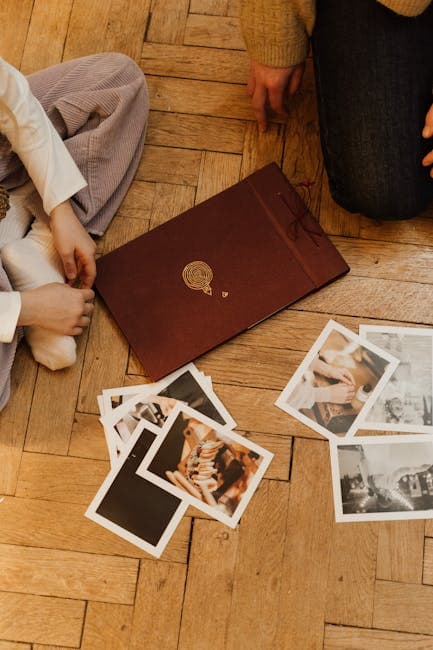
A photo memory book transforms a scattered collection of old prints — stuffed in shoeboxes, stuck in deteriorating albums, or sitting forgotten in closets — into a curated, beautiful record of your family's story. It's a gift that resonates across generations. Grandparents see their youth preserved. Parents relive milestones. Children and grandchildren connect with family history they never witnessed.
With AI photo restoration, even badly damaged photos can look stunning in print. This guide takes you from planning through production.
Phase 1: Planning Your Book
Choose a Theme
A focused theme makes a better book than a random assortment:
- Family history — spanning generations from great-grandparents to the present
- One person's life — a birthday or memorial tribute
- A marriage — from courtship to golden anniversary
- Childhood to adulthood — a coming-of-age visual narrative
- A specific era — the family in the 1960s, life on the farm, the old neighborhood
Gather Your Materials
Collect photos from every available source:
- Your own collection
- Parents and grandparents
- Aunts, uncles, and cousins
- Old albums and frames
- Negatives and slides (take these to a scan service)
Aim for 50-150 photos for a 40-60 page book. You'll curate down to the best images during layout.
Create a Timeline
Arrange photos chronologically. Even rough dating (by decade or major life events) provides structure. A timeline helps identify gaps — missing eras where you might want to ask relatives for additional photos.
Phase 2: Digitizing and Restoring
Scanning
Scan all prints at 300-600 DPI. Use the highest resolution your scanner supports for photos you plan to feature prominently. Save as high-quality JPEG or TIFF.
For large collections, consider a scan service. Companies like ScanMyPhotos handle bulk scanning at $0.08-$0.20 per photo.
AI Restoration Workflow
Process every photo through this sequence:
-
General restoration — upload each scan to the restore tool. This fixes scratches, fading, stains, and discoloration. Budget 1 credit per photo.
-
Face enhancement — for every photo containing people (which is most of them), run the restored version through the face restore tool. Faces are the focal point of memory books, and this step makes a visible difference.
-
Colorization — for B&W photos, the colorize tool adds color that brings old images to life on the printed page. Color photos mixed with B&W photos in a book can feel disjointed; colorizing the older ones creates visual continuity.
-
Upscaling — small prints (wallet-size, 3x5) need more resolution for full-page or half-page placement in a book. The upscale tool enlarges without pixelation.
Batch Processing Tips
- Process photos in chronological batches to maintain organization
- Save restored versions with a consistent naming scheme:
001_1945_grandpa-navy.jpg - Keep original scans and restored versions in separate folders
Phase 3: Choosing a Print Service
Online Photo Book Services
| Service | Price Range | Quality | Customization |
|---|---|---|---|
| Shutterfly | $30-$80 | Good | Easy templates, limited custom layouts |
| Mixbook | $30-$90 | Very good | Excellent layout editor |
| Artifact Uprising | $60-$200 | Premium | Minimal, elegant designs |
| Blurb | $25-$120 | Very good | Professional layout tools (BookWright) |
| Apple Photos | $30-$100 | Good | Simple, integrated with Apple ecosystem |
Book Types
- Softcover ($20-$40): Affordable, casual feel. Good for distributing copies to many family members.
- Hardcover ($40-$80): Durable, substantial feel. The standard for family keepsakes.
- Layflat ($60-$120): Pages lie completely flat when open. Best for photos that span two pages.
- Premium/Linen ($80-$200): High-end materials, archival quality. The heirloom choice.
Size Recommendations
- 8x8 or 8x10: Standard size. Easy to handle, affordable to produce.
- 10x10 or 11x14: Larger format. Photos have more impact. Good for wall-display coffee table books.
- 12x12: Square format popular for wedding and family books.
Phase 4: Layout and Design
Structure
- Cover: The strongest restored photo, usually a multi-generational group shot or a striking portrait
- Opening pages: Oldest photos, family origins
- Middle: Chronological progression through decades and life events
- Closing pages: Most recent photos, the family today
- Final page: A note about the book's creation — who compiled it, when, and why
Layout Principles
- One hero photo per spread — give your best images full-page or two-page treatment
- Supporting photos smaller — 2-4 smaller images per page for variety
- White space — don't crowd pages. Let photos breathe.
- Captions matter — include names, dates, locations, and brief stories. This information is the real value of a memory book.
- Consistency — use the same font, background color, and border style throughout
Handling Mixed Quality
Even after restoration, some photos will be higher quality than others. Place lower-quality images smaller on the page and feature your best restorations at full size. A small, slightly soft photo surrounded by white space looks fine; the same photo blown up to fill a page shows its limitations.
Phase 5: Captions and Stories
The photos are the visual foundation, but captions and stories transform a photo book into a family record.
What to Include
- Who: Full names, relationships, ages at the time
- When: Date or approximate era
- Where: Location, occasion, event
- Story: A brief anecdote, quote, or context that brings the photo to life
Gathering Stories
Interview older family members while you can. Ask open-ended questions:
- "Tell me about this photo."
- "What was happening that day?"
- "What do you remember about this person?"
Record these conversations. The stories are often more valuable than the photos themselves.
Phase 6: Printing and Distribution
Order a Proof
Before ordering multiple copies, order a single proof copy. Check:
- Color accuracy — do restored photos look natural in print?
- Image sharpness — are enlarged photos sharp enough at their printed size?
- Text readability — are captions clear and correctly spelled?
- Page order — does the narrative flow logically?
Order Copies for Family
A memory book is a gift. Order copies for parents, grandparents, aunts, uncles, and siblings. The cost per copy drops significantly with volume — Blurb and Shutterfly offer bulk discounts.
Get Started
The most important step is the first one. Start scanning and restoring your photos today. Upload your first scan to the restore tool and see what AI can do with a 50-year-old print. Once you see the transformation, the motivation to complete the project takes care of itself. Explore all restoration tools for the complete workflow.