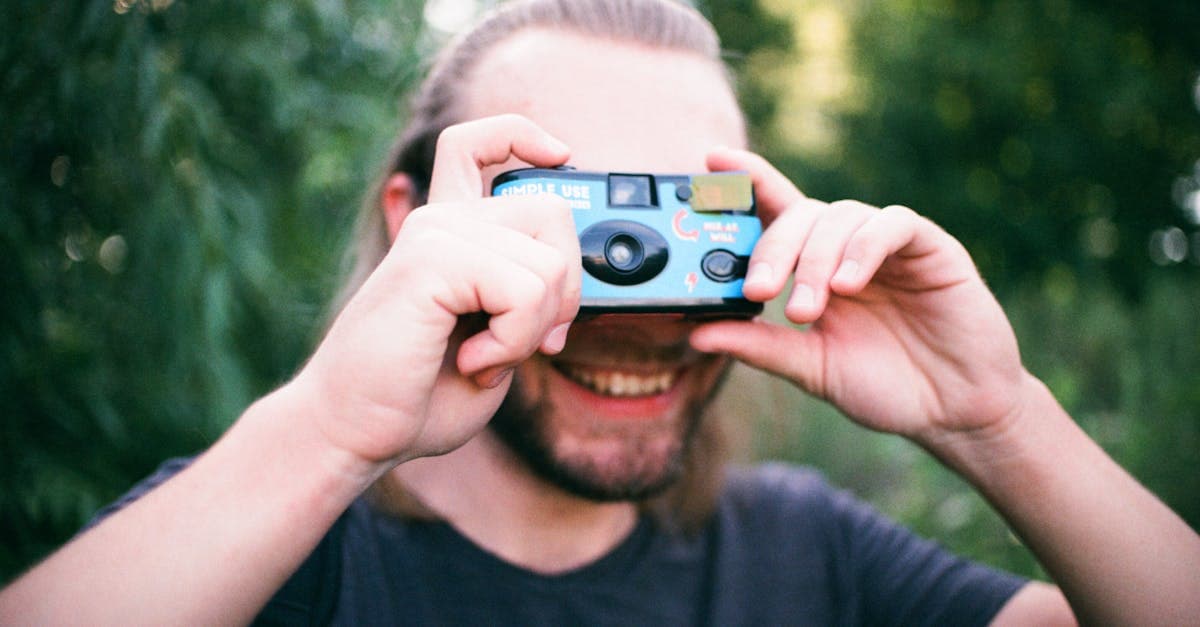
The 1990s is the last analog decade. It is the decade of disposable cameras handed out at weddings, APS cartridges offering three aspect ratios at the press of a button, the final production runs of Kodachrome as digital began its takeover, and — by the very end — the first mass-market digital cameras whose photos now look quaint next to a modern phone. A 1990s family album is usually stacks of 4x6 minilab prints with the occasional novelty size from a disposable, plus later in the decade some home inkjet prints and the first low-resolution JPEGs printed from a Kodak PhotoCD or an early HP printer.
Restoring 1990s photographs feels different from any earlier decade because the subjects are almost always still alive. The work is less archival and more immediate — the goal is often to make a photo good enough to share at a family birthday or a milestone that the same person is celebrating now.
How photographs were made in the 1990s
C-41 remained dominant for family photography, with vastly improved dye stability in papers like Kodak Royal Gold and Fuji Crystal Archive (introduced in 1989 and widespread by the mid-90s). The Advanced Photo System (APS) launched in 1996, offering 24mm film in drop-in cartridges with magnetic data recording and three selectable aspect ratios (C, H, P). APS prints are slightly smaller than 35mm prints of the same nominal size because the negative is smaller, and APS never reached the resolution of full-frame 35mm.
Disposable cameras from Kodak, Fuji, and Konica put C-41 photography into every convenience store. Kodachrome continued to be manufactured until 2009, but most amateur slide photographers had already moved to Ektachrome E-6 or color negative by the mid-1990s. The first consumer digital cameras — the Apple QuickTake, Casio QV-10, early Sony Mavica models — appeared mid-decade but produced files at resolutions (often 640x480) that would barely register as a thumbnail today. Home inkjet printing began appearing in the late 1990s with HP and Epson photo printers, though early inkjet prints were notoriously unstable.
What damage looks like on 1990s photos
1990s Crystal Archive and Royal Gold prints are surprisingly stable — they are the first consumer chromogenic prints engineered for archival permanence, and many 1990s photos still look essentially fresh. The main problem is paper yellowing, not image fading: the brighteners used in 1990s minilab papers have shifted, giving the overall print a slight warm cast that is easy to mistake for image fade. Prints that were stored in PVC album sleeves show chemical damage where the plasticizer has migrated into the print surface.
Disposable camera photos are soft because the plastic lenses and small-format film could not match the resolution of a real camera, even when new. APS prints are slightly softer than 35mm prints from the same era. Early inkjet prints from the late 1990s are the most fragile photographs of the entire decade — dye-based inkjet prints from 1998–2000 often show severe color loss after 20 years, particularly in magenta and yellow channels. First-generation digital photos suffer from JPEG artifacts, extremely low resolution, and the color rendering quirks of early CCD sensors.
What AI can restore on 1990s photos
PhotoFlip's restore handles 1990s paper yellowing, PVC sleeve damage, disposable camera softness, early inkjet fading, and the general tonal drift of aged chromogenic prints. For early digital photos, the AI upscales low-resolution JPEGs and reduces the boxy artifacts typical of early compression. Face-restore is particularly valuable for disposable camera photos and APS prints where faces are at the limit of the original format's resolution. Because 1990s material is already in good shape, restoration results tend to be clean and subtle rather than dramatic.
What AI cannot do: fully recover an early inkjet print whose dyes have faded to near-nothing, add resolution to a 640x480 digital photo beyond what upscaling can plausibly generate, or remove PVC damage that has chemically fused to the image surface.
Tips for scanning 1990s photos
Scan 4x6 C-41 prints at 600 DPI for general use or 1200 DPI if you plan to enlarge. APS prints scan well at the same settings. Disposable camera prints benefit from 1200 DPI scans because the lenses were soft and higher resolution helps face-restore work effectively. For early inkjet prints, scan at 600 DPI with auto-correction off — the fading follows irregular patterns that scanner software will misinterpret. For first-generation digital photos, you usually already have the JPEG file; upload it directly rather than scanning a print. APS negatives, if you still have the cartridge, can be professionally extracted and scanned for much better results than the minilab prints.
How to restore a 1990s photo with PhotoFlip
- Scan prints at 600–1200 DPI, or upload original digital files directly.
- Upload to /restore for color and tonal correction.
- For small-format or disposable camera photos, follow up with /face-restore.
Frequently Asked Questions
Probably not much. Mid-1990s Crystal Archive and Royal Gold papers were the first truly stable consumer chromogenic materials, and a well-stored wedding album from that era often needs only minor paper yellowing correction and dust removal. PhotoFlip detects the baseline quality and applies a light pass that preserves the original character.
Yes, though the results depend on the original resolution. A 640x480 JPEG from an early Sony Mavica has limited source information, but the AI can upscale plausibly and clean up JPEG compression artifacts, producing a file that is much more usable for modern sharing and printing. Face-restore is particularly effective on these early digital photos.
Early dye-based inkjet prints from 1998 to 2002 are among the least stable photographic objects ever made and can show severe fading in as little as 15 years. PhotoFlip can rebuild color balance and contrast from what survives, but if the image has faded to near-nothing there is a limit to what any software can recover. If you still have the original digital file, use that instead of scanning the print.
Not directly. APS film is sealed inside the cartridge and requires specialized equipment to extract and scan. A professional lab that still handles APS can do it for you, and the results are usually much better than scanning the original minilab prints because the negatives have more dynamic range and have often aged less than the paper prints.
Sources
Restore photos from other decades


Ready to restore a photo from the 1990s?
Free preview, no account needed. Download it in full resolution with a free account.
Upload a photo